Problem and Objective:
A commercial business in Wake County is looking to attract more customers to sustain and maintain business growth. To do so, their marketing department has developed a plan to evaluate and determine how to find their new customer base. The commercial business will need to spatially analyze the areas of current customers and highlight potential new areas where customers can become new customers. With that being said, the objective of this assignment is to locate where the company’s current customers are and display the data visually for spatial reference.
Analysis Procedures
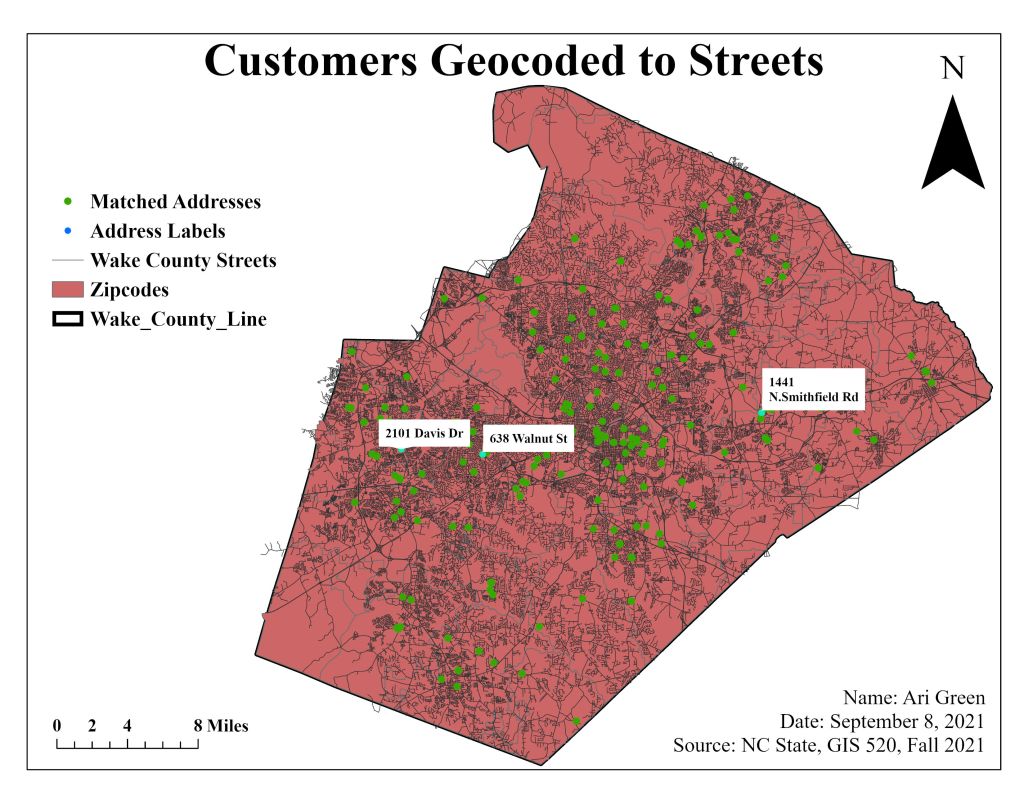
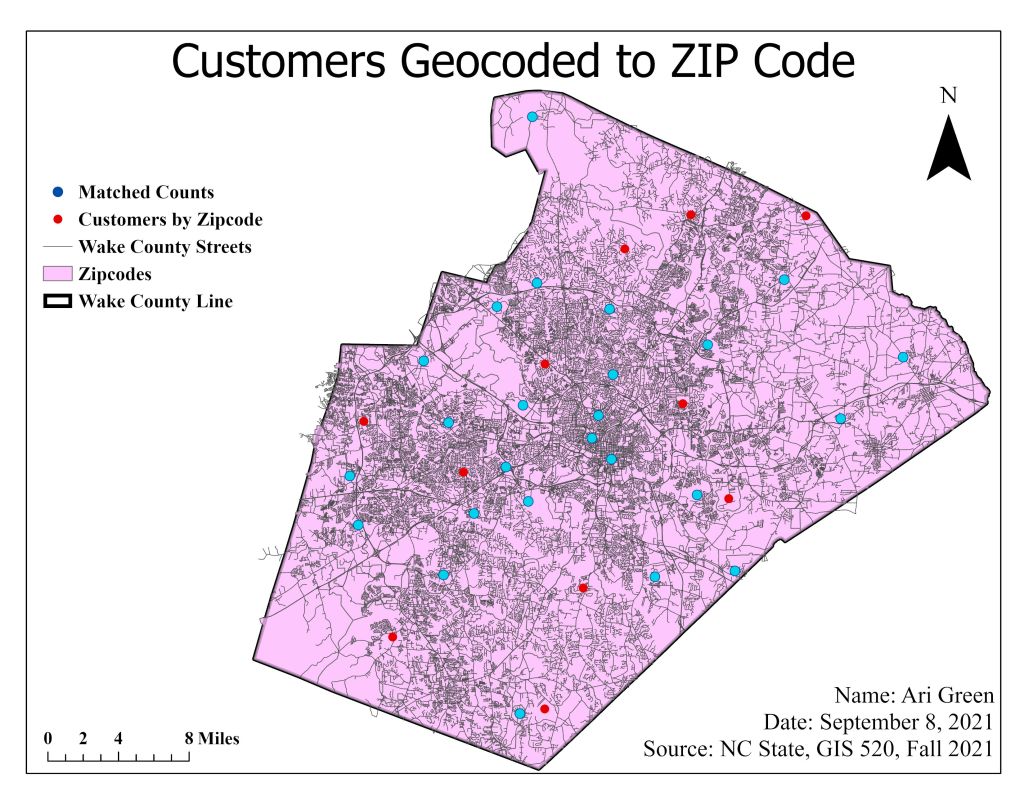
To solve this problem, I used ArcPro and several analysis tools such as Create Address Locator and the Repair Geometry. The data used for this assignment are two separate excel spreadsheets: one filled with zip codes and one with street numbers and names. The primary input data used for this assignment came in form of polygons and polylines (.shp) of Wake County Streets and Wake County boundary. Address data can be visualized by geocoding the data utilizing a defined locator style. Using the Locator style as tool geocodes the addresses (input data from excel spreadsheet) and they appear as points on a map. In this case, points on a Wake County polygon/boundary. This assignment called for the use of two different locator styles. For visualizing zip code data, I created an address location using the five-digit ZIP locator style. By utilizing this locator style paired with the reference data, zip code centroids are now visual on ArcPro. After creating the locator tool, I ran the geocoding process and reviewed the results for Matched, Unmatched, and Tied addresses. There were errors and warnings after running the tool, so I also used the Repair Geometry tool, which allowed me to fix the errors and match more addresses. After addressing the errors, the method of rematching allowed me to match more addresses by geocoding.
The second locator style used a dual range. This kind of locator style is used on full address (street number, name, and city). I ran the geocoding process again, and this locator style is more efficient and resulted in more matched addresses; which then resulted in actual points on a map. With the zipcode reference data and street names reference data, I developed two different maps.
Results
Application and Reflection
In this assignment, I learned that zipcodes are not automatically geocoded and that they must be referenced to geospatial data before they can be plotted as points on a map. During this assignment, I also learned that there are different locator styles when you geocode data and that depending on the task at hand, will allow you to choose which style to use. In learning about different locator style, my take away from this assignment is that street name reference data is much more versatile and can be used for any task because it is precise and almost exact. The method is not without flaw (the ability to tie, match, unmatch), but geocoding tabular data with street name locator style is has a higher rating for correctness.
In this assignment, we geocoded tabular data to marketing purposes, but this tool can also be used to geocode African American institutions and shops developed in the 20th Century in Southeast Raleigh to plot their locations on a map and conduct an analysis of which institutions still exists and which one have been demolished/no longer exists.
Problem Description: ArcPro/ArcMap can be used to geocode tabular data for institutions that exists and no longer exists to demonstrate change over time. For a current project of mine, I compiled a list of full addresses to African American institutions in Southeast Raleigh in a spreadsheet to plot them on a map to illustrate what businesses still exists and what businesses have been demolished.
Data Needed: City of Raleigh Boundary, City of Raleigh Roads/Streets, Zipcodes, and List of Businesses from Greater Raleigh Chamber of Commerce tabular data.
Analysis Procedures: To illustrate these locations on a map, I decided to perform a spatial join between the City of Raleigh Boundary and the Greater Raleigh Chamber of Commerce tabular data. I also created a streetname style locator to verify the addresses for more accuracy.
 MY GIS 520 PORTFOLIO